
The Accountin Operating System puts AI workers in your practice
The Accountin Operating System (AOS) is Accountin and Accountin Plus with AI workers added. Each worker does one piece of routine practice work overnight, such as capturing bills, reconciling the bank or preparing a VAT return, and leaves it for a person in your team to check and approve. It is coming soon, and the price has not been set.
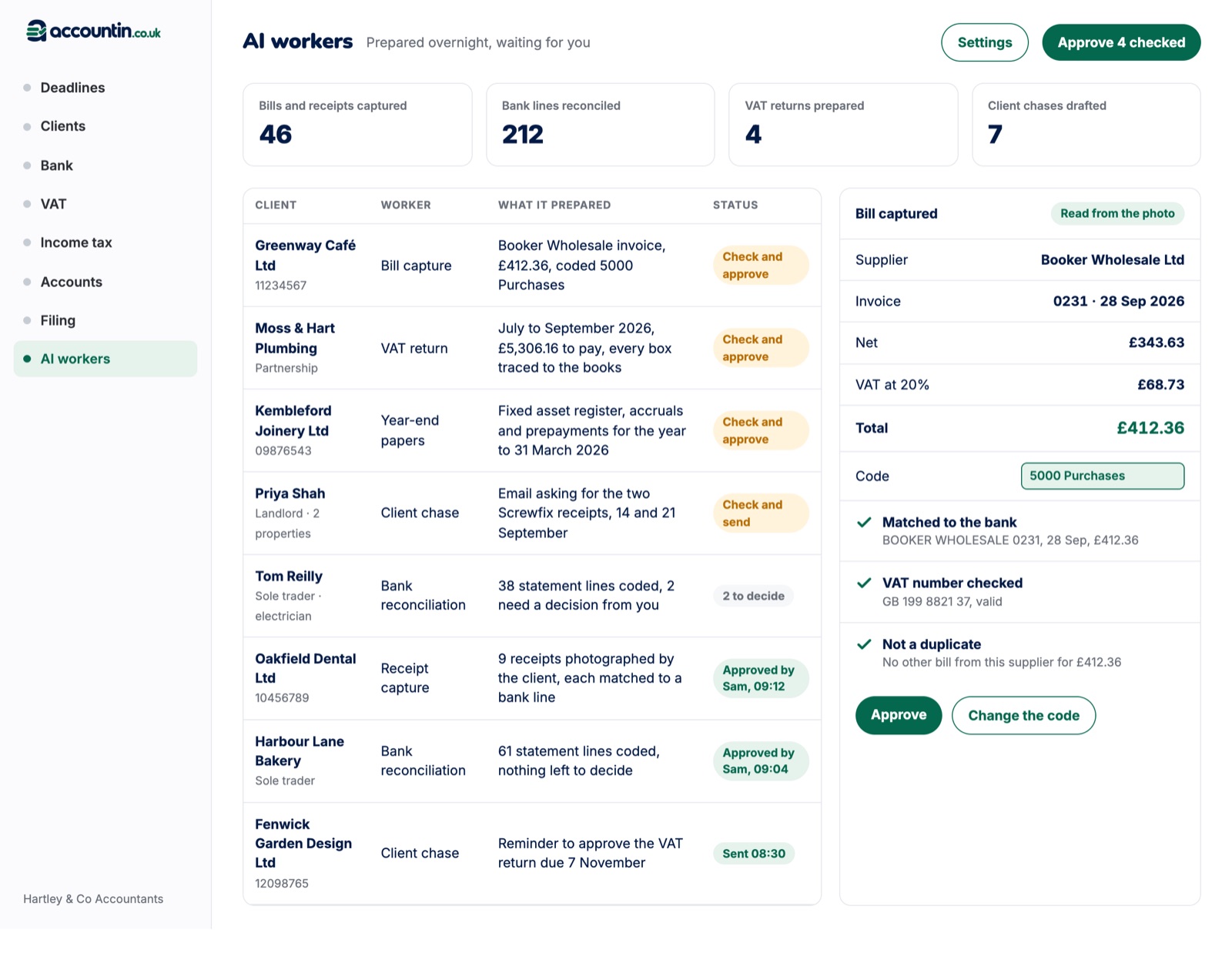
A person approves every piece of work
- 1
Prepared
The worker does its piece of work overnight from the books in Accountin and the jobs in Accountin Plus.
- 2
Waiting
The work appears on the AI workers screen, with where each suggestion came from.
- 3
Checked
A person in your team opens it, and changes a code or a figure if it needs it.
- 4
Approved
They approve it, and the work records who approved it and when.
The 20 AI workers
Each worker does one piece of routine practice work. Each one is off until you switch it on, and you can switch it off again at any time. The fee and credit control workers are for practice owners only.
Switches shown on for an example practice.
Bookkeeping
- Bills and receipts
- Bank reconciliation
- Invoices and bills to post
VAT and compliance
- VAT returns
- MTD quarterly updates
- CIS returns
- Confirmation statements
- P11D benefits
Year end and corporation tax
- Year-end working papers
- Management accounts
- Charity funds
- Corporation tax workings
- Corporation tax return review
Personal tax
- Income and expenses workings
- Self Assessment review
Payroll
- Payroll input
- Payroll summary email
Clients and the practice
- Client chasing
- Fee against work
- Credit control
Bills, receipts and the bank, ready each morning
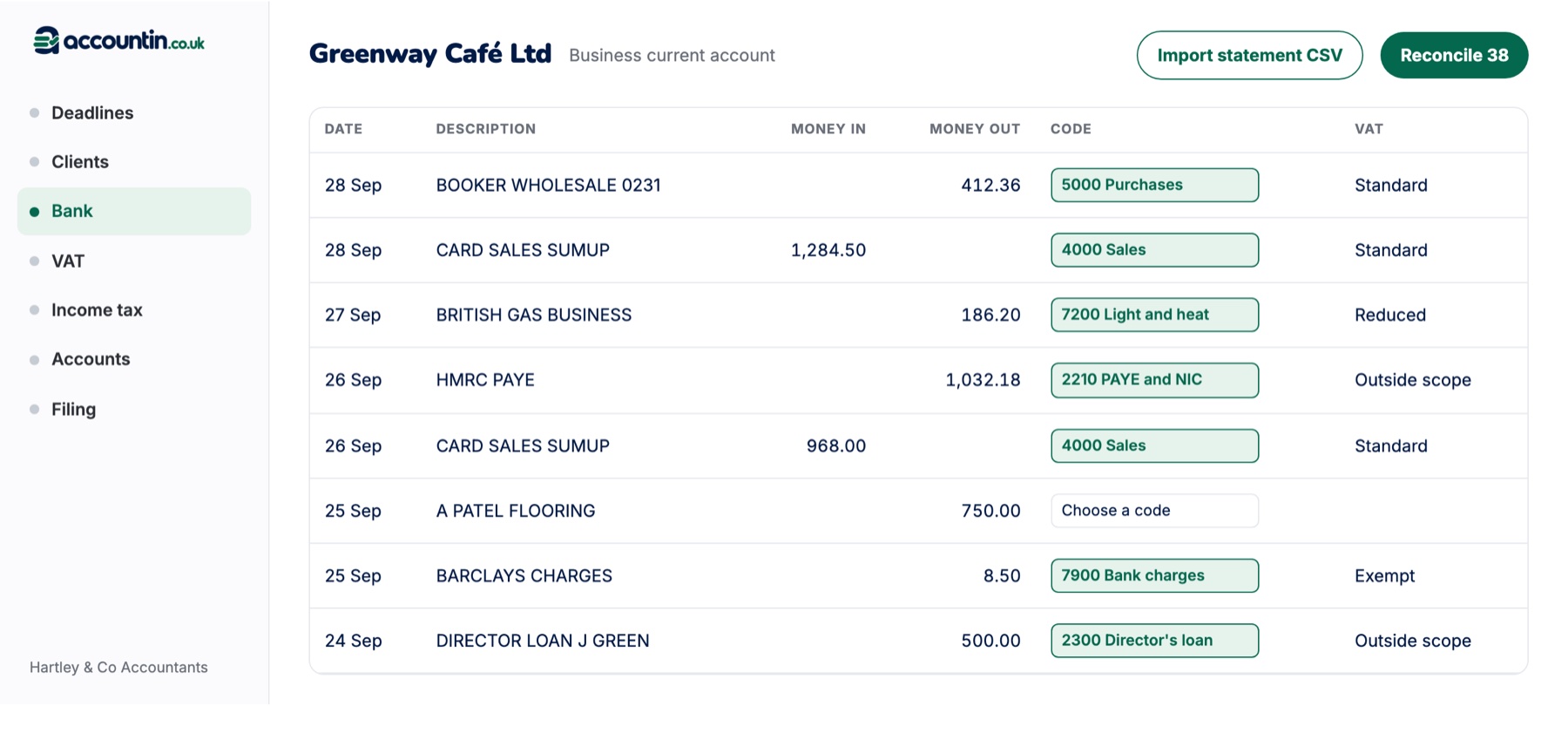
Clients photograph a receipt or forward a bill. The bills and receipts worker reads the supplier, date, net amount and VAT, suggests the code, checks the supplier's VAT number and matches the bill to its bank line. The bank reconciliation worker codes each new statement line from your bank rules and the client's history, and lists the lines that need a decision from you.
- Duplicate bills caught before they are posted
- Each suggestion shows where it came from
- Approve a batch, or change a code first
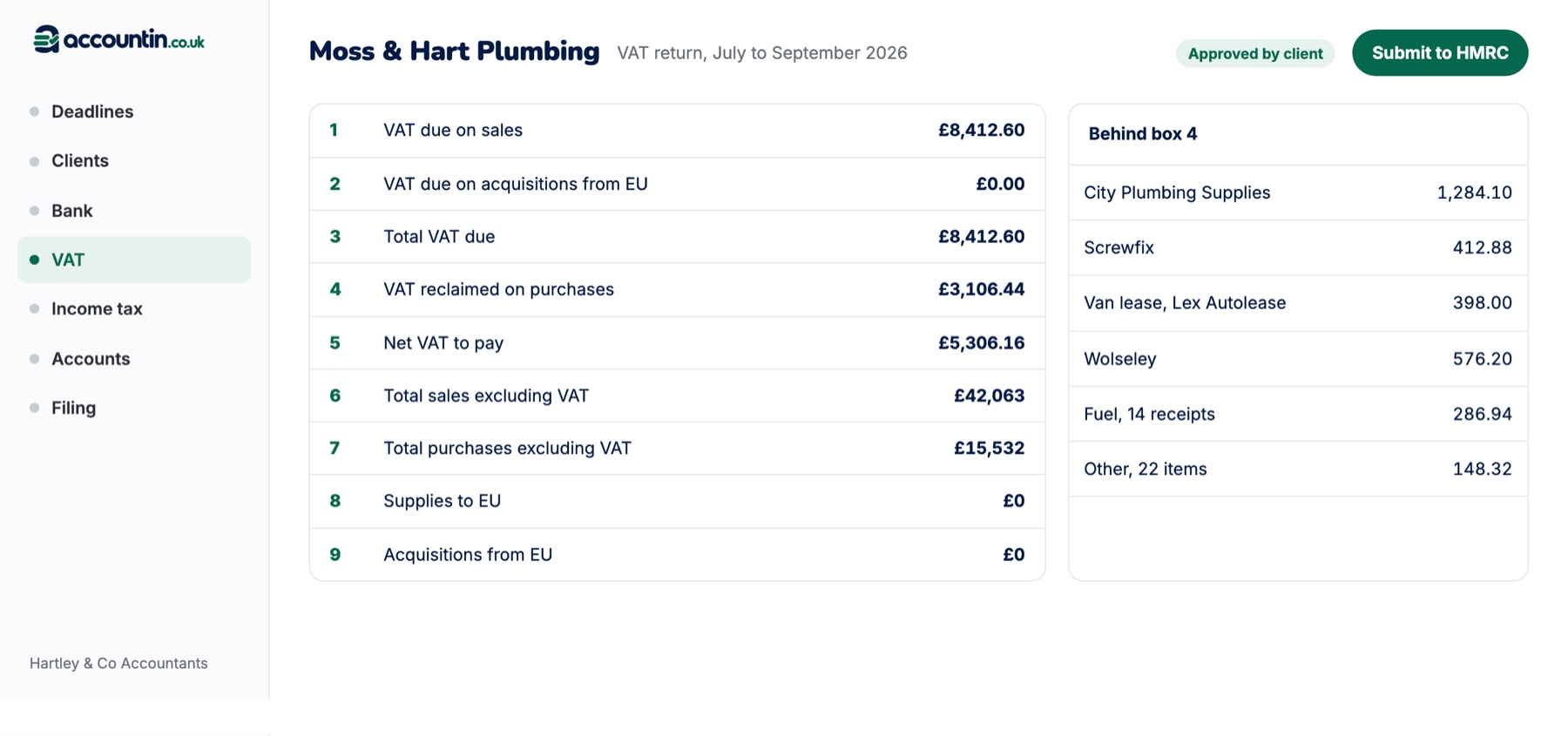
VAT returns traced to the books
When a quarter's books are complete, the VAT return worker prepares the return with every box traced to the transactions behind it. A person in your team checks it before it goes to the client for approval.
- Standard, cash and flat rate schemes
- Each box opens to the transactions behind it
- A chase email drafted if the client has not approved it
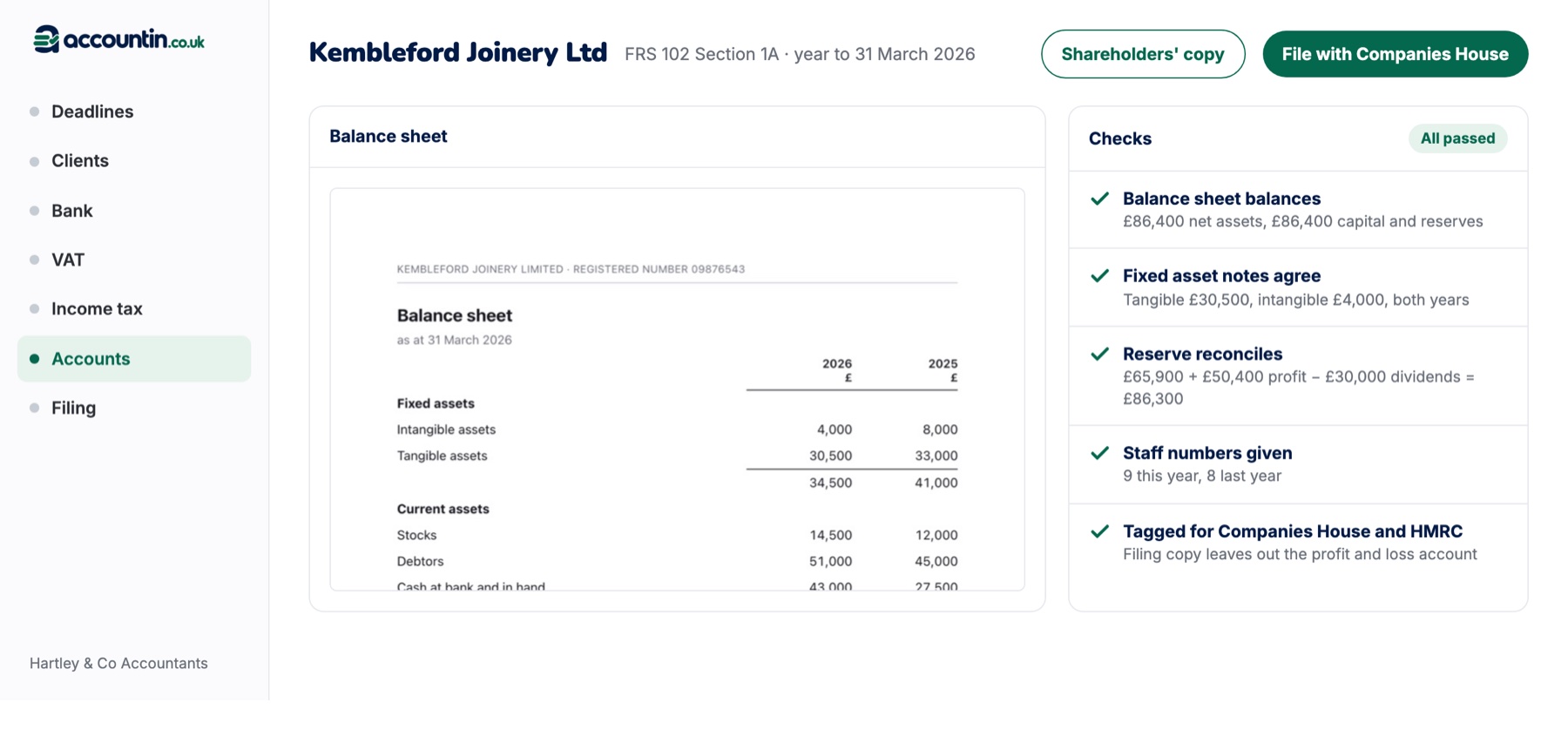
Year-end working papers, prepared before the review
The year-end worker prepares the fixed asset register, accruals, prepayments and the working papers for each set of accounts, so the reviewer starts from a complete file. The corporation tax workers prepare the computation and review the CT600 against the accounts.
- Fixed assets, accruals and prepayments
- Corporation tax workings and return review
- Management accounts and charity funds
How the Operating System works with Accountin and Accountin Plus
The workers read the books in Accountin and the clients, jobs and deadlines in Accountin Plus. Each worker is off until you switch it on. Its work appears on the AI workers screen, and each piece records who approved it and when.
Questions about the Accountin Operating System
What is the Accountin Operating System?
The Accountin Operating System, or AOS, is Accountin and Accountin Plus with 20 AI workers that prepare routine practice work, from capturing bills and receipts to VAT returns, year-end working papers and client chasing, for the practice's own team to approve.
Who approves the work the AI prepares?
A person in your practice. Each piece of work waits on the AI workers screen until someone checks and approves it, and client emails are drafted for you to read before they are sent.
Can I choose which workers run?
Yes. Each worker is off until you switch it on, and you can switch it off again at any time. The fee and credit control workers are for practice owners only.
How much will the Operating System cost?
The price has not been set. The Operating System is sold on top of Accountin and Accountin Plus.
When can I use it?
The Accountin Operating System is coming soon. It opens to the waiting list first, in the order practices joined.
Join the waiting list for the Accountin Operating System
We will contact you when the Accountin Operating System opens to your practice. Places open in the order practices joined.
Join the waiting list